The chapter module provides a platform for broader topics and allows the integration of longer texts. It seamlessly combines text, illustrations, and calls to action to reinforce the content of your topic.
The module – what it can look like

You select the chapter module – like all other modules – via the "Add" button. There you can choose between different templates. The chapter templates differ in design, for example in their alignment.
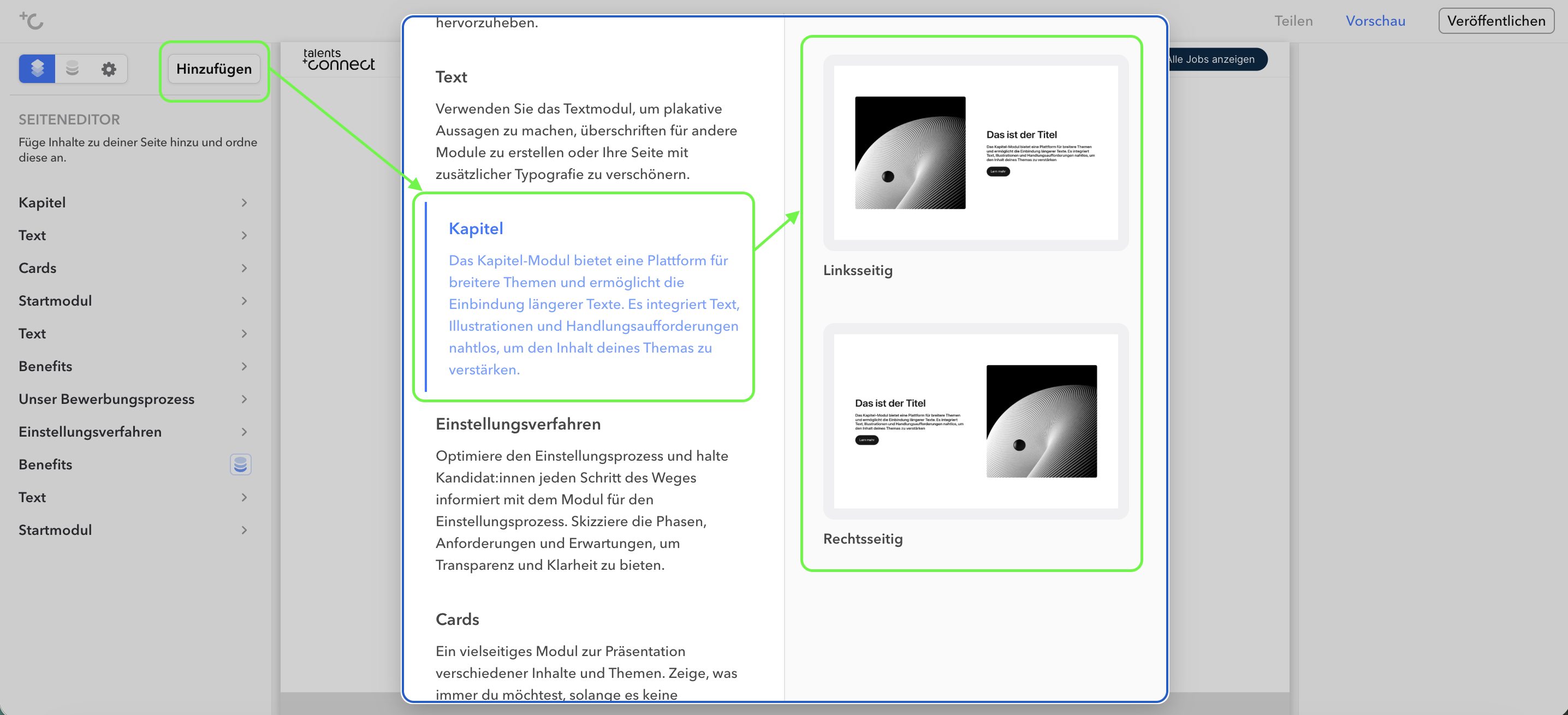
Templates
| Template Name | Preview |
|---|---|
| Left-aligned |  |
| Right-aligned |  |
Settings
In the left column of the editor you can choose whether you want to change the global settings (under "Chapter") or the individual sub-items of the chapter module. The respective editing is then done in the right column.
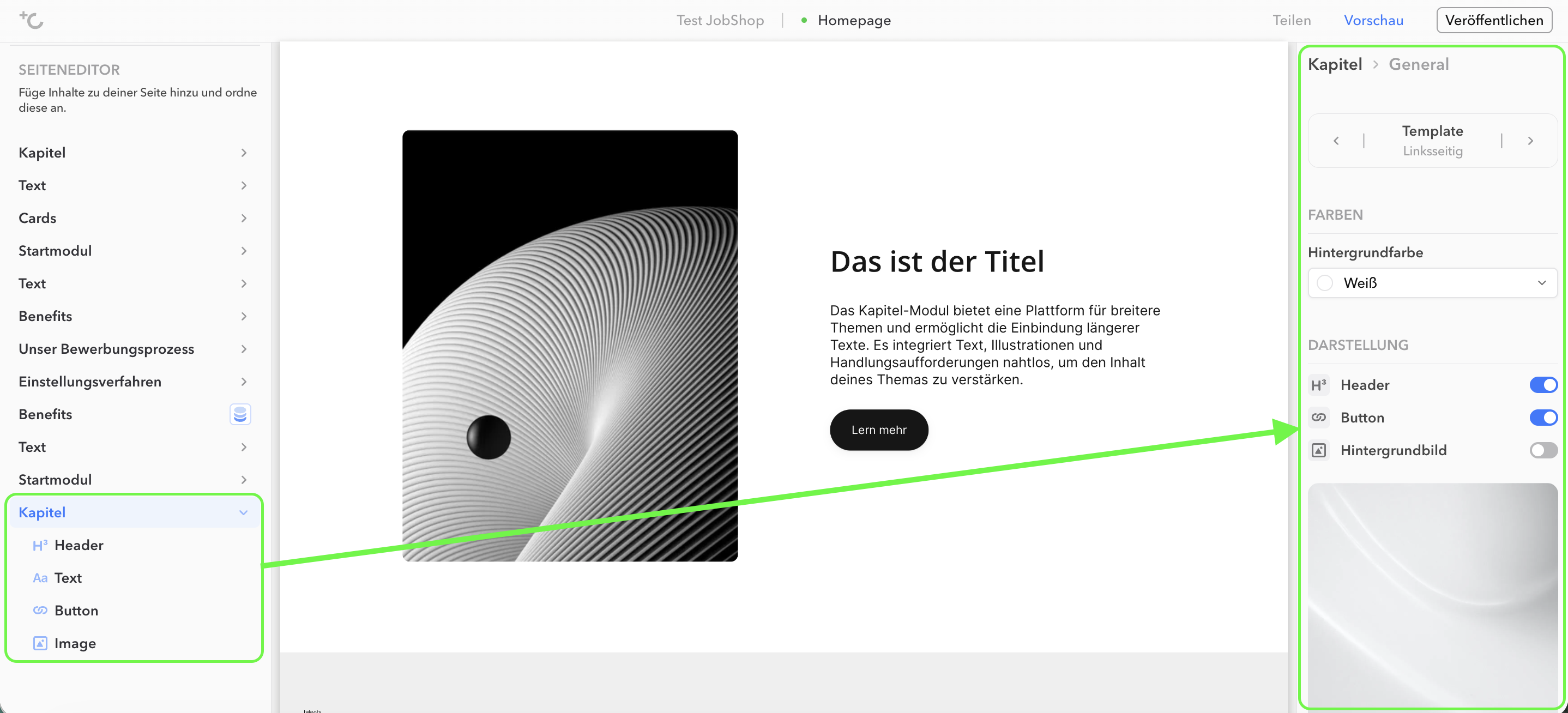
Chapter module: Global settings
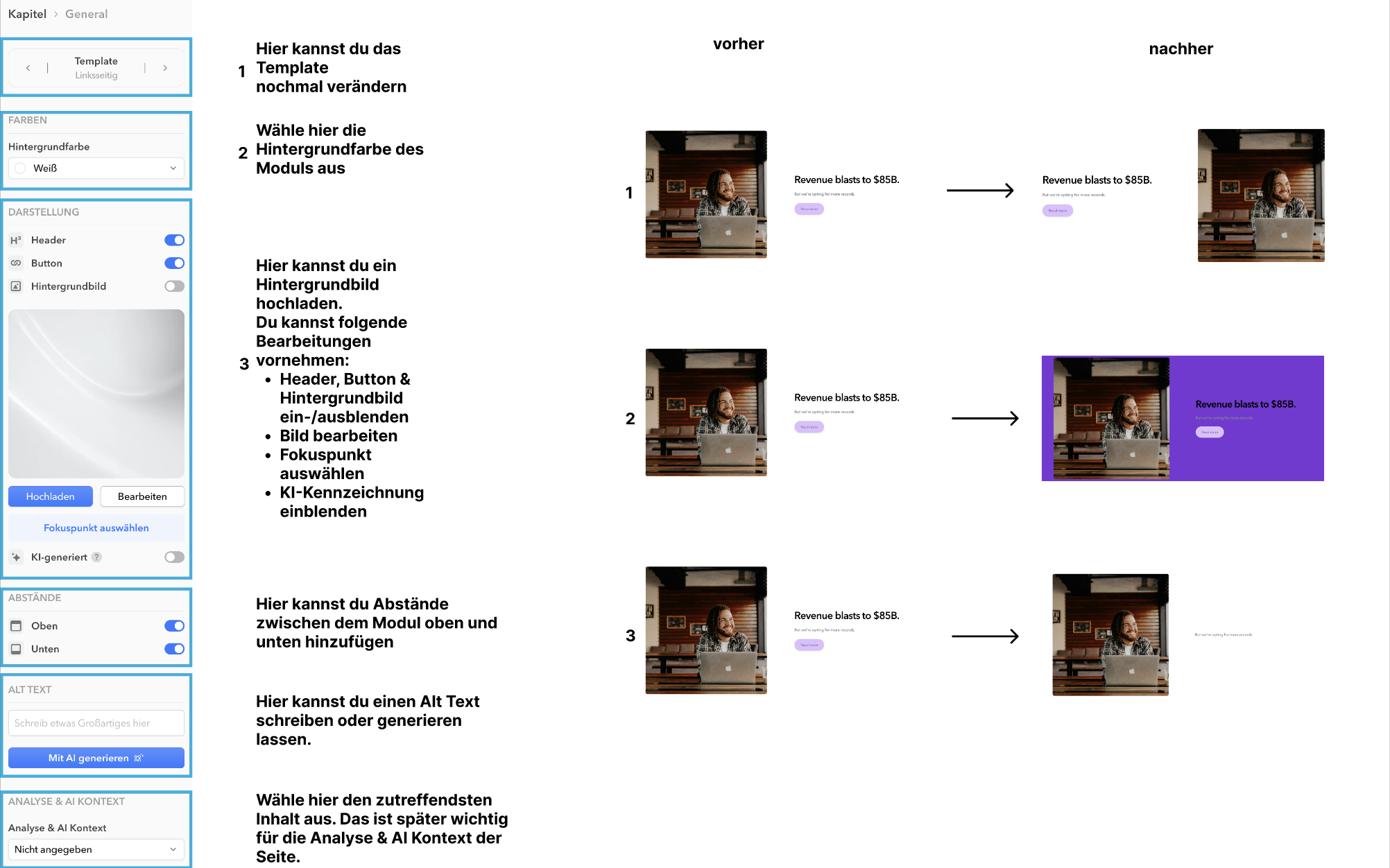
Note: Labeling AI-generated images
Further information can be found in the article Labeling AI-generated images.
As of: August 2026 ✦ Language: English
Was this article helpful?
That’s Great!
Thank you for your feedback
Sorry! We couldn't be helpful
Thank you for your feedback
Feedback sent
We appreciate your effort and will try to fix the article