This module automatically lists all job categories to quickly guide candidates to jobs in their desired field.
The Module – What It Looks Like

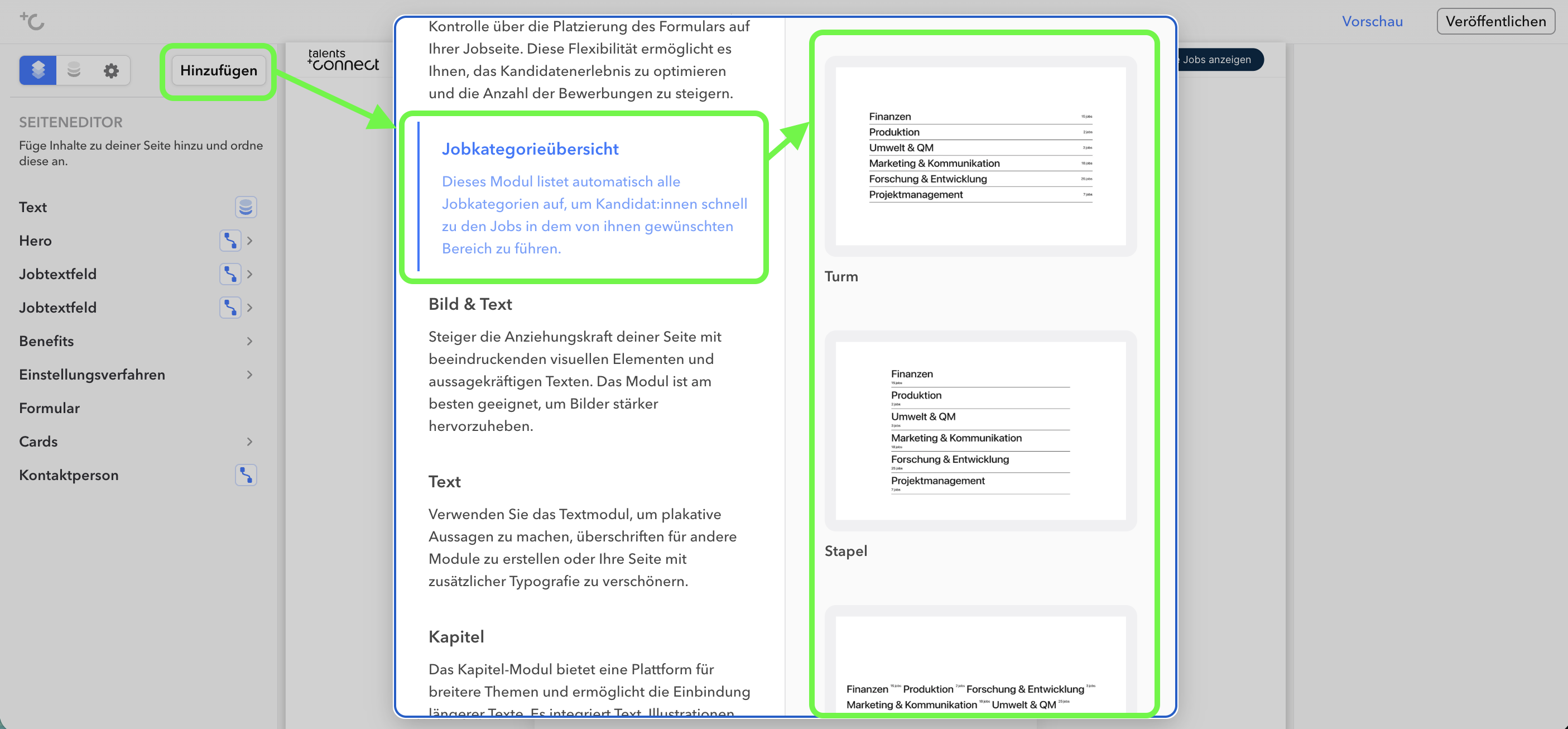
You select the job category module – like all other modules – via the "Add" button. There you can choose from various templates. The job category module templates differ in design, for example in their layout orientation.
Note:
The job category overview is intended exclusively for the homepage of your JobShop. The module cannot retrieve data across multiple JobShops and therefore only counts the jobs belonging to the JobShop in which the module is used. Jobs from other JobShops are not taken into account. On subpages (e.g. category pages), the job counter does not show the number of jobs for that specific page, but instead continues to display the total number of all jobs in the JobShop. We recommend using this module only on the homepage.
Templates
| Template Name | Preview |
|---|---|
| Tower |  |
| Stack |  |
| Loop |  |
| Puzzle |  |
| Pyramid |  |
Settings
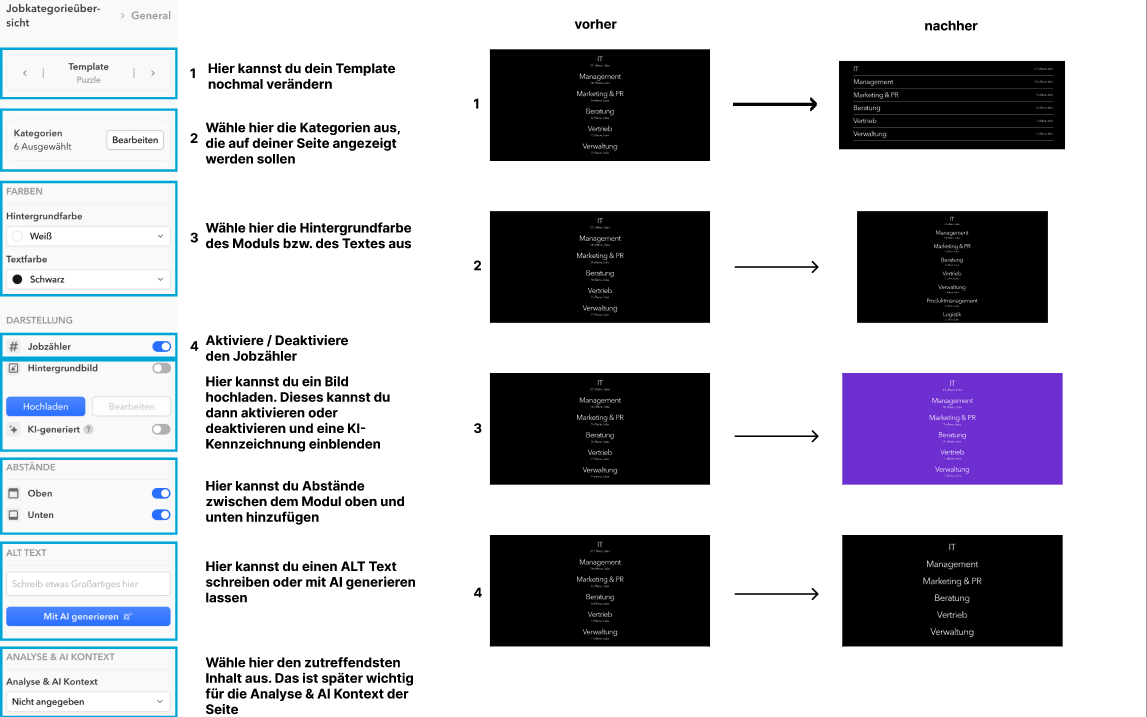
In the left column of the editor you can choose whether you want to change global settings (under "Start Module") or the individual sub-items of the start module. The respective editing is then done in the right column.
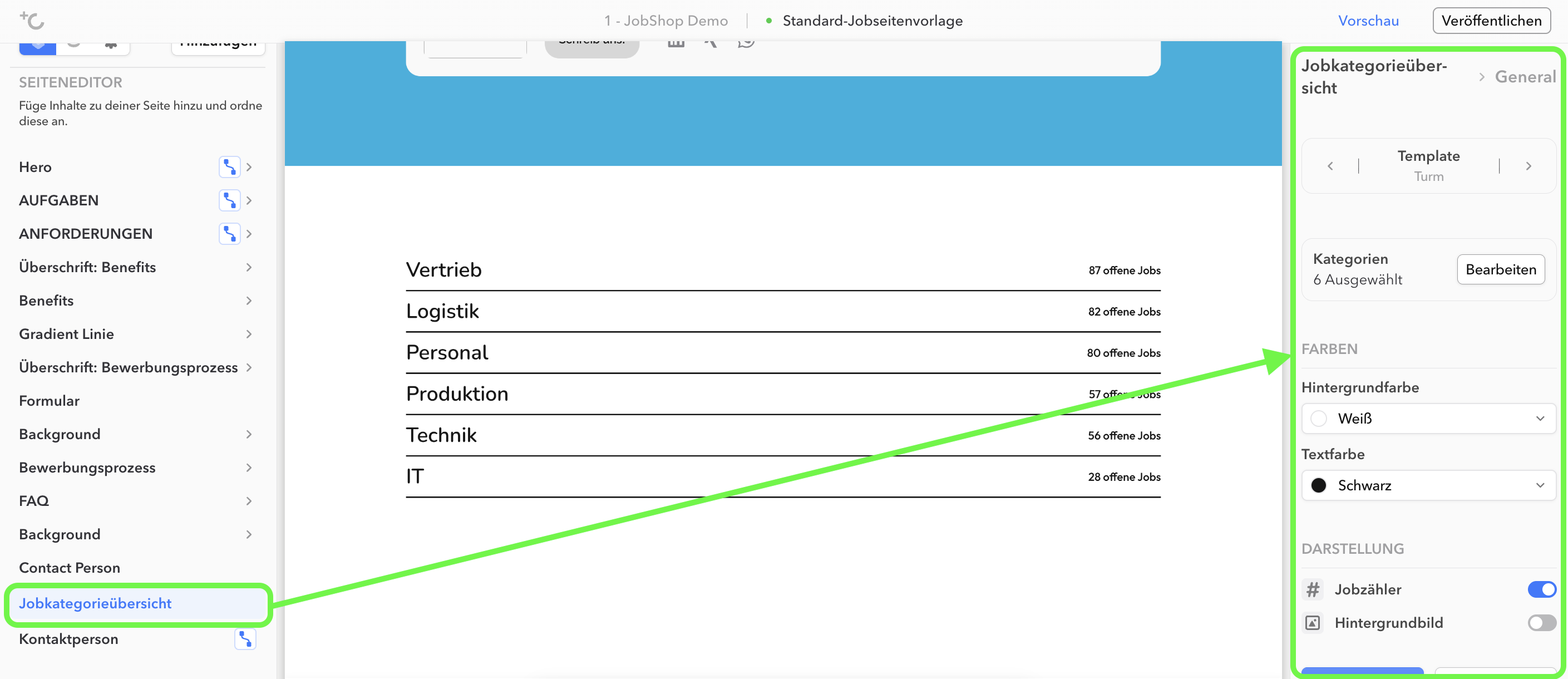
Job Category Module: Global Settings
As of: August 2026 ✦ Language: English ✦ Audience: talentsconnect customers (JobShop Page Manager)
Was this article helpful?
That’s Great!
Thank you for your feedback
Sorry! We couldn't be helpful
Thank you for your feedback
Feedback sent
We appreciate your effort and will try to fix the article